Video tutorials
Filters:


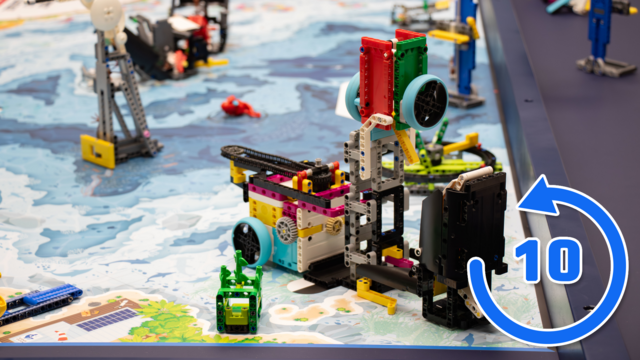

FLL 2024: 10 out of 10 on Drop, Rotation work - Nautiq accomplishing M11, M12
This video tutorial focuses on accomplishing M11 Sonar Discovery and M12 Feed the Whale of the FIRST LEGO League 2024-2025 SUBMERGED Challenge using the Nautiq box robot. The goal is to achieve 10 out of 10 successful completions, with the robot reliably rotating the sonar and feeding the whale in every trial.
The run uses a combined two-part attachment where the front section opens the whale’s mouth and drops the krill while the rear section uses a chain and hook mechanism to rotate the sonar. The programming ensures precise timing, correct hook positioning, and a small forward adjustment to avoid snagging, enabling consistent results across all attempts.
- #2437
- 06 Aug 2025
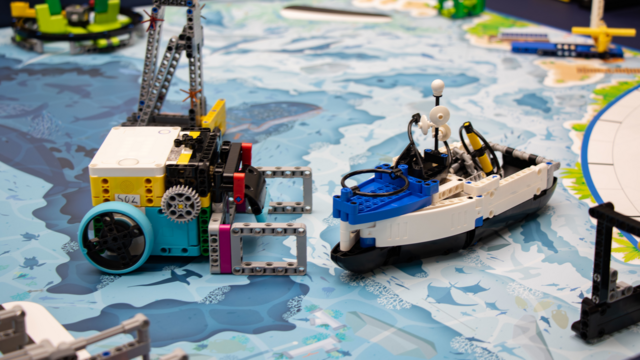
FLL 2024: Push, Release, Deliver - Nautiq accomplishing M15 Research Vessel
This video tutorial focuses on accomplishing M15 Research Vessel of the FIRST LEGO League 2024-2025 SUBMERGED Challenge using the Nautiq box robot (a LEGO Education SPIKE Prime robot). The run uses a pinless attachment designed to push the ship loaded with cargo to its destination. After the previous run, the hook part is removed and replaced with a locking component that holds the ship securely during transport.
The locking mechanism uses friction pins to keep the ship stable until it reaches its destination, where it can then be released smoothly. This approach ensures the cargo remains secure throughout the journey while allowing for safe delivery and quick unloading at the final position.
- #2434
- 06 Aug 2025

FLL 2023: 10 out of 10 on Push, Rubber Band, Lever - MiniBox Box Robot accomplishing M06, M07, M14, M15
This video tutorial is a 10 out of 10, demonstrating how the MiniBox accomplishes four missions - M06, M07, M14, and M15 - of the FIRST LEGO League 2023-2024 MASTERPIECE Challenge.
Yes, the attachment is complex, and there are quite a few actions, but this LEGO Education SPIKE Prime box robot handles them brilliantly! Let's take a look!
- #2342
- 25 Sep 2024

FLL 2021: How to accomplish the Platooning Trucks mission
In this video tutorial, we accomplish the FIRST LEGO League 2021-2022 mission called Platooning Trucks. The goal is to connect the two mission models (trucks) to each other and then connect them both to the bridge. It's quite an interesting mission as it involves three mission models.
- #2083
- 18 Apr 2023


Robot Accuracy when moving fast VS moving slow on an FLL competition field with LEGO MINDSTORMS Robot Inventor
In this video tutorial we use a LEGO MINDSTORMS Robot inventor robot and we do an experiment and a demonstration with it. We demonstrate what is the difference in the consistency and accuracy of the robot when we move slow and when we move fast. For FLL, WRO competitions there is always this balance between moving fast and moving slow.
- #1957
- 25 Oct 2022


FLL 2021: Carry, Deliver and Drop a large object - How to accomplish the Large Delivery mission
In this video tutorial, we demonstrate one of the unique missions of the FIRST LEGO League competitions - we must carry a rather large object from base an leave it on the field. This takes some considerations as other missions must be accomplished before that.
- #2081
- 04 Apr 2023


FLL 2023: 10 out of 10 Collect, Rotation work, Push, Lift - Kufar, an out-of-box robot accomplishing M12, M13, M15
This is a 10 out of 10 tutorial demonstrating the consistency with which the Kufar robot accomplishes M12, M13, and M15 of the FIRST LEGO League 2023-2024 MASTERPIECE Challenge season. Kufar is an out-of-the-box LEGO Education SPIKE Prime robot, meaning you don’t need to connect attachments—just slide the brick into the attachment frames.
In this run, the robot collects the mini-figures using a rubber band mechanism, rotates the chicken with a gear mechanism, and pushes and pulls the M13 Craft Creator mission model.
- #2325
- 24 Sep 2024

Multistate Line Following
While "multistate line following" can describe a variety of algorithms, this tutorial will cover its implementation using the ducky line-following method.
- #2293
- 02 Aug 2024

FLL 2021: Deliver large objects - 10 out of 10 on how to accomplish the Large Delivery mission
This is a 10 out of 10 tutorial on an active, auto-correcting, locking, and aligning attachment that accomplishes the FIRST LEGO League 2021-2022 Cargo Connect Large Delivery mission. The difference, as compared to the previous solution to the mission, is that we now use a much more consistent and reliable robot.
- #2120
- 04 Apr 2023

FLL 2020: 10 out of 10 on how to accomplish the Cell Phone mission with LEGO Mindstorms Robot Inventor
This is a 10 out of 10 tutorial demonstrating the accuracy of a Flip Attachment for the FIRST LEGO League 2020 Cell Phone Mission. The flip attachment flips a phone. Moves forward and flip it. This is a tricky business. It might not work. The trick is to approach the mission model from the right angle. In the tutorial you will see a demonstration and will learn how such a mission could be accomplished accurately with a LEGO Mindstorms Robot Inventor robot and attachment with gear wheels.
- #1836
- 22 Dec 2021
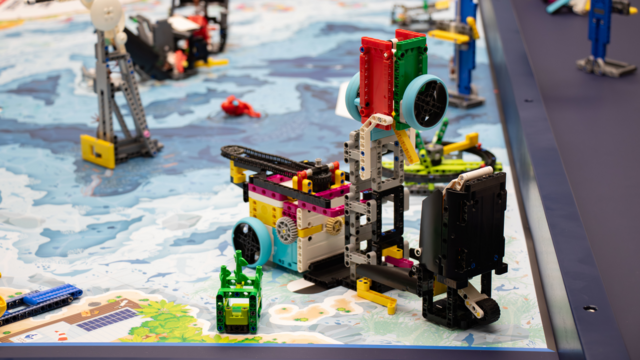
FLL 2024: Drop, Rotation work - Nautiq accomplishing M11, M12
This video tutorial focuses on accomplishing M11 Sonar Discovery and M12 Feed the Whale of the FIRST LEGO League 2024-2025 SUBMERGED Challenge using the Nautiq box robot (a LEGO Education SPIKE Prime robot). The run uses a combined two-part attachment for maximum efficiency. The front section is designed to drop the krill into the Whale for M12, using a stationary beam to open the whale’s mouth and an angled beam to tip the krill container so they fall inside. Wheels are added as counterweights to prevent the container from opening during movement.
The rear section operates the sonar rotation for M11, using a chain-driven mechanism to transfer power from the robot to the mission model. A hooked beam is integrated at the end, allowing it to easily catch the yellow part of the sonar for rotation. This combined design allows the robot to complete both missions in one smooth, coordinated run without swapping attachments.
- #2436
- 06 Aug 2025
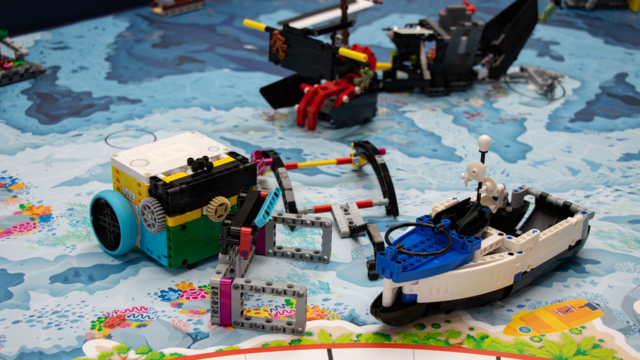
FLL 2024: Latch, Pull - Nautiq taking the Research Vessel for M15
This video tutorial focuses on taking the Research Vessel for M15 of the FIRST LEGO League 2024-2025 SUBMERGED Challenge using Nautiq box robot (a LEGO Education SPIKE Prime robot).
This video tutorial focuses on accomplishing M15 Research Vessel of the FIRST LEGO League 2024-2025 SUBMERGED Challenge using the Nautiq box robot (a LEGO Education SPIKE Prime robot). The run uses a pinless latched attachment mounted under the robot for maximum stability. The attachment features a hook that catches the research vessel and pulls it back to the launch area, after which the hook can be removed and the remaining parts reused for the next run.
Important: Before starting this run, ensure the part that locks the boat for the next run is raised; otherwise, the robot cannot hook the vessel correctly. This simple but effective mechanism allows for a quick and reliable retrieval, setting up the next sequence of missions without additional adjustments.
- #2432
- 06 Aug 2025

FLL 2020: How to accomplish the Pull-Up bar mission with LEGO MIndstorms Robot Inventor
The goal of the Pull-Up bar mission is to have the robot pull up on the bar... ok.. wording. In this video tutorial we demonstrate an interesting attachment that helps the robot attach to the Pull-Up bar and hang there. How do we do this - with a platform, that brings the robot to the bar and then detaches itself from the robot
- #1839
- 16 Dec 2021

FLL 2020: 10 out of 10 on how to accomplish Tire Flip mission with LEGO Mindstorms Robot Inventor
This 10 out of 10 tutorials demonstrates how we can accomplish a flip mission with a LEGO Mindstorms Robot inventor in a repeatable way. We manage to flip the tires on almost every try. You will learn and see how the attachment works and is able to push and flip the mission models.
- #1851
- 24 Jan 2021
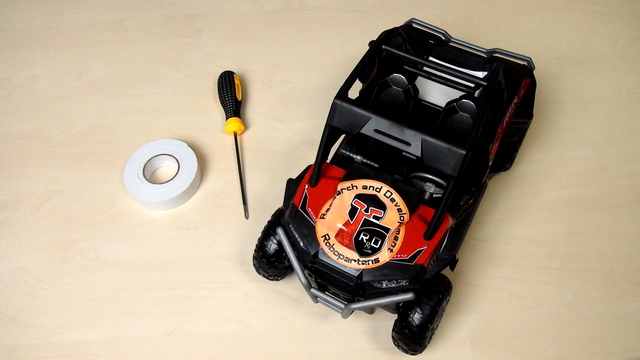
Opening the RC Remote Control Car
The course is designed to be used with almost every remote controlled car. The process of opening the car will be different for different cars but there are basic principles that you could follow.
- #683
- 20 Feb 2018


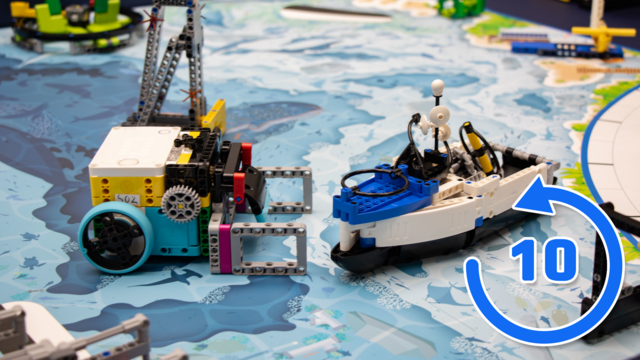
FLL 2024: 10 out of 10 on Push, Release, Deliver - Nautiq accomplishing M15 Research Vessel
This video tutorial focuses on accomplishing M15 Research Vessel of the FIRST LEGO League 2024-2025 SUBMERGED Challenge using the Nautiq box robot. In this series of test runs, the goal is to achieve 10 out of 10 successful deliveries, with the robot pushing the loaded ship to its destination, releasing it cleanly, and moving to the other launch area without a single failed attempt.
The run uses a pinless attachment with a locking mechanism and friction pins to secure the cargo during movement and allow smooth release upon arrival. The precise programming and stable design ensure consistent performance across the trials.
- #2435
- 06 Aug 2025
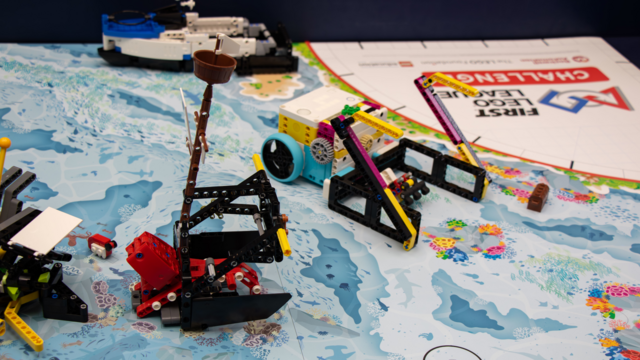
FLL 2024: Collect, Lift - Nautiq accomplishing M06, M07
This video tutorial focuses on accomplishing M06 Raise the Mast and M07 Kraken’s Treasure of the FIRST LEGO League 2024-2025 SUBMERGED Challenge using the Nautiq box robot (a LEGO Education SPIKE Prime robot). The run uses a pinless attachment connected to the bottom of the robot, featuring side guides with stoppers for precise mast lifting and a central rubberized section to catch the treasure chest.
The challenge in this run is to collect the treasure before raising the mast fully, as the mission model locks the chest if the mast is lifted too far too soon. The robot must push and lift with great precision, stopping at exactly the right point to avoid triggering the lock, then continue raising the mast to complete the mission. This sequence demonstrates careful mechanical design, accurate programming, and precise timing to accomplish two interconnected missions in one smooth run.
- #2424
- 06 Aug 2025
