

Python demo program to use Distance sensor and control car motors.
Part of the Perfect STEM course, you should have a Raspberry Pi and a HC-SR04 distance sensor connected to 5V, GPIO 5, GPIO 6 and GND.
- #h5egq9
- 20 Apr 2018

Python demo program to control our car motors
Part of the Perfect STEM course, you should have a Raspberry Pi, a button connected on GPIO 26 and 3.3V, and two motors connected to GPIO 27, GPIO 22, GPIO 23 and GPIO 24.
- #lvd3tw
- 20 Apr 2018

Python demo program to blink and pulse LED
Part of the Perfect STEM course, you should have a Raspberry Pi and an LED connected on GPIO 18 for this example to work.
- #6xoaqf
- 06 Apr 2018
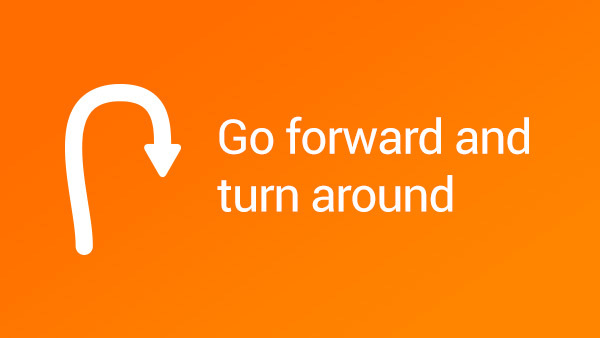
Go Forward Turn Around Go Back With Steering
Example of making turn using the steering option of the move block
- #aptrck
- 08 Feb 2018
Real Steel Boxing Robots Programs
These are the programs for our boxing robots and their Joysticks. They are made for a game of two fighters with their respective joysticks, fighting until one is knocked out or its "heart" touch sensor is punched by the other robot. The fighters require the two "leg" motors to be connected on ports B and C and the hand medium motors on port D. The touch sensors should be connected on port 1, however keep in mind that the game may be better without them. The distance sensor has no purpose in the program as it is used only for aesthetics. The joysticks require the motor for forward and backward to be connected on port B and the motor for left and right to be connected on port A. The touch sensor operates the hands and must be connected on port 4.
- #cqwn2x
- 29 Oct 2018

Roberto Bot Chassis Controls With Modkit
This is a program that sets the VEX IQ Controller to control The Roberto Bot chassis with Modkit for VEX. This program can be used and for other robots/chassis.
The robots are available at:
- #uxgw6b
- 03 Jan 2019

Roberto Bot With Four Bars Lifting Mechanism Controls With Modkit
This is a program that sets the VEX IQ Controller to control the Roberto Bot With Four Bars Lifting Mechanism, and also Sports Chassis With Eight Bar Lifting Mechanism - VEX IQ Robot.
- #hb5rj8
- 03 Jan 2019
Примерни програми за Вратата на Трезора
Тези програми са примерни решения на задачите от трети урок в ниво 3.0. Програмите са направени да работят с робота Врата на трезор.
- #oh2g6c
- 04 Jun 2020

Truckie - "Hard" To Drive VEX IQ Program for Modkit. One stick for move and steer
With this program you can drive the Truckie or every robot with the same port settings. It is hard to drive with that set up because to have the robot move in the right direction you need to be very precise with the stick. The part of the problem is that this set up uses only one stick to control the movement. You have to chose left or right stick. If you use both it will be a great mess. It is not impossible but it is very hard to do. You probably will never use this stick setting in the VEX competition but practicing this type of setting you will become very precise with the controls and your driving skills will grow a lot. Ones you have master this driving technic you will be more relaxed while you are on the competition.
After you feel satisfied with your driving skills and you have accomplished all the goals you can continue with the competition driving program settings like Truckie - Easy To Drive VEX IQ Program for Modkit.
This program is mainly for controlling Truckie VEX IQ robot.
- #zmfw98
- 01 Mar 2019
Truckie - "Easy" To Drive VEX IQ Program for Modkit. Left stick steers. Right stick moves
With this program you can drive the Truckie or every robot with the same port settings. It is easy to drive with that set up because you use the left stick to control the speed and the right stick to steer. The benefit according to Truckie Hard To Drive VEX IQ Program for Modkit is that this set up uses both sticks to control the movement. Probably you will use this stick setting in the VEX competition and practicing this type of setting will be very useful for your driving skills to grow. Ones you have master this driving technic you will be more relaxed while you are on the competition.
After you feel satisfied with your driving skills and you have accomplished all the goals you can continue with the competition driving program settings.
This program is mainly for controlling Truckie VEX IQ robot.
- #w2ahr4
- 15 Mar 2019

Advanced Truckie - Easy To Drive Advanced VEX IQ Program for Modkit
This program can be used to control the Advanced Truckie. This programs include the use of the R UP and R Down Butons on the VEX Controller. It lifts up and down the arm of the Advanced Little Truckie.
- #oyhjux
- 14 Mar 2019
Сейф с парола
Тази програма позволява на сейф робота да се отвори с парола и демонстрира как могат да бъдат откраднати вашите паролите.
- #igjfex
- 22 Mar 2019
Примерни програми за робота Банкомат
Програми за робот, който може да се използва като банкомат, или като умна ключалка с цветен код. Програмите прибират и избутват цветната карта и изпълняват различни звуци ако реда на цветовете е верен. Ако реда на цветовете е грешен се чува звук за грешка.
Този робот е част от урок 7 в ниво 3.0 Сигурност и охранителни системи.
- #m9ufao
- 29 Mar 2019

Lifter - an attachment for SUV Box Robot and Into Orbits M09–Strength Exercise Program
This program is for Lifter - an attachment for SUV Box Robot and Into Orbits M09–Strength Exercise material. In this program you may need to change the values in the Wait - Color Sensor blocks if the program is not working properly. The program ses also Gyro sensor, that mean that you have to check do you have a gyro drift. If you have such, turn of the robot and start it again. After turning it on, do not touch the robot until it is completely loaded and ready to run. In that way you are going to cancel the gyro drift.
- #hm9c06
- 27 May 2019