
EV3 Phi. Make the robot consider cargo. Inertia & Acceleration
Robots could do chores for us and they must consider the load of the cargo or the robot could be damaged.
- #402
- 07 Apr 2017
Robots could do chores for us and they must consider the load of the cargo or the robot could be damaged.

The Gyro sensor in LEGO Mindstorms EV3 sets is new for the sets and we answer basic questions about its usage. The sensor detect when the whole constructions turns at a particular angle, but there are a number of gotchas in using it.


Let's implement a more advanced program for this robot to learn how to use with motors in opposite directions - and this is to implement the Proportional Line Following algorithm.

В EV3 софтуера за програмиране има Танк блокче за движение. То ни позволява да задаваме различни мощности на всеки мотор.
В живота подобно нещо се използва при автомобилите. Системите за управление на сцеплението с пътя (tracktion control) предават различна мощност към всяко колело на автомобила, така че колата да остане стабилна на пътя и да не поднася.
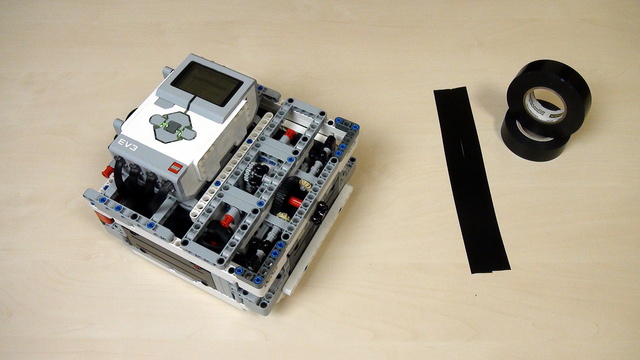
Would you like to resolve all the problems with the light/color sensors that you have? And to make all of them work in a predictable, stable way even when using more than one MINDSTORMS colour sensors.
When using Color sensors it is important to calibrate them depending on the light conditions in your venue. In this way, the calibrated sensor will show values between 0 and 100 independent of the light conditions. But using the default EV3 colour calibration available in the colour sensor block could lead to unpredicted problems that are difficult to track and resolved especially when used with multiple Color sensors. So in this series of tutorial we implement the calibration ourselves discussing the principles of colour sensor calibration.

Sometimes when we are working with sensors it is important that the time between two consecutive samples is the same. This will make each sample equally important and independent of how much time it took to take it. In this video tutorial, we would use the EV3-G timer block to make a "WaitForTick" program where the time between each sample of the EV3 Gyro takes exactly 0.02 seconds.

Move the robot using the Move Steering block. We explore what the different values for Steering mean and how to use them. We also explore how the motor is configured to run for a number of rotations or seconds and what is the difference.

The code is already ready. It is attached below the video. Let's see how the program works and what it does and how to use it.

Many times we just upload blocks and leave it up to you to use it. In this tutorial, I would like to show you how to use the implemented blocks. How to import them into the EV3-G software. How to see them in the palette. How to drag and drop them to build a working program.

Robotics Game of Life – that’s the name of our new scientific journey. We are organizing a 14-sessions course (1 session weekly). The idea of the course is to develop a solution to the Conway Game of Life where the robots would actually play the game. Students will construct the robots by instructions and lots of imagination. Initial programs will be provided by us and modified by students.
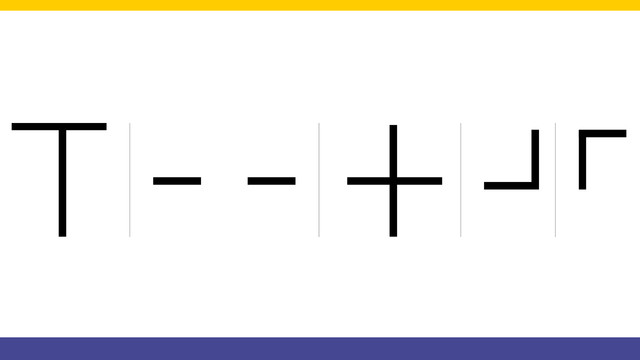
Looking at the field we must first think of a strategy of solving this line following problem. There are rules that the robot must follow and these rules should be programmed in the robot.

In this tutorial, we show you how to display all the values from an EV3-G array on the EV3 brick display. We are using an array Read Operation along with a loop. We are also detecting the loop counter and using it as an index to an array. It's basically the only viable way to do it. The process is commonly referred to as - "Iteration over an array" (although we still do not have an iterator in the programming language, we promise that one day we would do the super advance videos on "iteration" using the LEGO MINDSTORMS robots")

One of the interesting things in this sequence of videos is the program. The program detects when the system has reached the maximum speed and then stops the motor from rotating. We detect this with the EV3-G software

Learn to program the Game of Life on the LEGO Mindstorms brick screen. This would require drawing on the brick screen, using blocks with switches and loops.

We follow a line. We start from the Smooth Proportional Line Following program and modify it a little for this program. We follow the line with the middle sensor attached on port 2.