
EV3 Phi. Task for implementing the greet a stranger module
Overview of the big task that we want to achieve in this module.
- #389
- 21 Apr 2017
Overview of the big task that we want to achieve in this module.

How can you accumulate some energy in an LEGO Mindstorms EV3 construction an use this energy at a later moment? How does a Flywheel work, why is it important and what is the purpose? What is energy, inertial moment and angular velocity. These are just some of the questions we would answer in this series on Physics and LEGO Mindstorms.


We follow a line. We start from the Smooth Proportional Line Following program and modify it a little for this program. We follow the line with the middle sensor attached on port 2.

Gears could be a powerful tool for those who know how to use them appropriately. In this episode we introduce some of the basic terms and concepts behind using gears in your construction.

The challenge for this video is to program a menu that is controlled from the LEGO Mindstorms EV3 brick screen.

Experiment with moving the robot in different geometrical figures. The tasks could be used in STEM classes for introducing students to geometry and math.
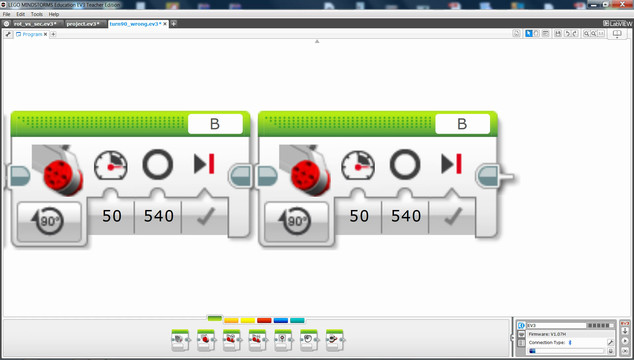
How to search for an unknown value with the fewest possible tries.

How to organize the different robots and group of students when working on lifting the robot.

In this tutorial, we add another mission to our current program. This mission is - hanging the Gecko from the FIRST LEGO League Animal Allies.


We've separated the BigDaddy robot into a few smaller modules. This teaches modularity and gives you the option to reuse some of the modules and to look at specific modules.

Building instructions for this LEGO Mindstorms EV3 robot base that could be used in FIRST LEGO League, World Robotics Olympiad and other robotics competitions

The code is already ready. It is attached below the video. Let's see how the program works and what it does and how to use it.

A common question is how to display arrays on the LEGO Mindstorms EV3 brick screen. Displaying values from an array is not different from any other display operation. In this tutorial, we would look at displaying two specific values. The minimum and the maximum for a specific sensor from the Advance Calibration Course Section
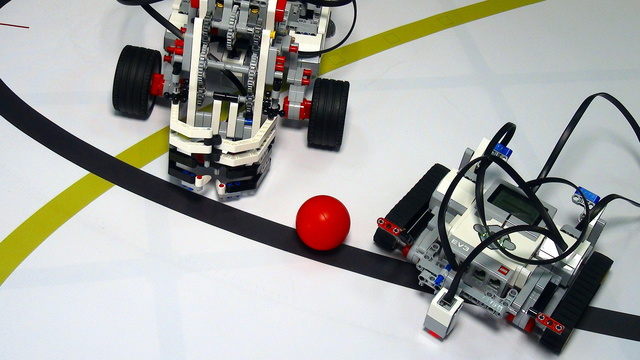


Collect the humans and clear them from the rocket launching region. This is rather straightforward as a task, but it requires a little bit of thinking if you want to do it without manipulators.

A phone holder that rings an alarm when the phone is picked up. It is a plate, lying on a rubber wheel, that changes its height, based on the weight of the object placed on top. The color sensor detects these changes and rings the alarm. With some fine tuning, this robot can even act as a weighing machine.

In the third run Nightbeast team solves Mission 04 - Crater Crossing and partly Mission 03 - 3D printing and Mission 014 Meteoroid Deflection:

This is a module containing two sets of three legs to make the ideal hexapod insect! The two sets are each powered by a large EV3 motor which are connected in various ways to the three legs to move them like a real bug! You can combine this module with others to build a bug robot.

This is the attachment to accomplish Fll 2019 M08 mission with the Dominator robot. You can see how to attach the attachment to the robot in this tutorial.
