
Yo-Yo challenge introduction
Overview of what is going to happen that part of the lessons.
- #356
- 04 Feb 2017
Overview of what is going to happen that part of the lessons.

We encourage you to explore the software on your own.
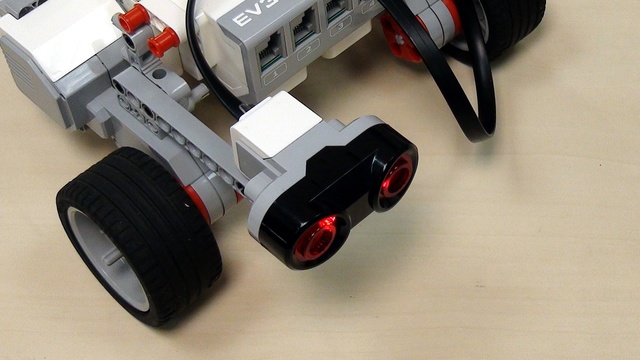

EV3-G program for using the ultrasonic sensor and detecting objects with it.

Program developed with EV3-G for stop and Move with the Ultrasonic Sensor


Display a matrix with "life" and "dead" cells on the EV3 LEGO Mindstorms brick screen. The program is available. You can see it, change it, modify it and learn from it.

Display a matrix on the brick screen. Simple and easy. Download and run the program to see how

This video tutorial reviews the EV3 Gyro Sensor and the HiTechnic Gyro Sensor for the LEGO Mindstorms NXT robotics Kit. We compare the two sensors and demonstrate them in action.

Based on a request from Abdulah we decided to build a tutorial on how to use Hi Technic Color Sensor and EV3-G Software. There is a special block imported in the software that helps you use the sensor.

An interesting question that has arise is whether we can use the LEGO Mindstorms EV3-G Software to program the NXT brick. In this episode we will go through the blocks from the EV3-G Software and see which works with the NXT Hardware and which does not.

The color sensors supports different modes of working. In this video we are working with the Reflected light, which is not actually the detected color. Most robotics sensors actually work with reflected light and you should definitely learn how to use this mode.

The program from part 3 should be refactored and improved to make it easier to understand and support. We extract most of the repeatable behaviours in a loop and this reduces the size of the program three times in terms of the number of blocks used.

We will take a look at the EV3 motors and will go into details about them

After several questions about the use of the LEGO Mindstorms NXT Light Sensor with the EV3 software, we have decided to go through this problem in this video tutorial and pay special attention to the Raw Sensor Value Block.

This video lesson is a revised version of Episode #1. Matt Gipson requested it in a comment. Using the EV3-G software we have developed a very simple program for following a line with two LEGO MINDSTORMS color/light sensors.

Experiment with moving the robot in different geometrical figures. The tasks could be used in STEM classes for introducing students to geometry and math.